ScienceBasedKids.com may earn a commission from affiliate links in this review. Our ratings are never influenced by affiliate relationships. Read our full methodology.
Here’s a question that trips up most adults: what is coding? Not professionally — conceptually. At its core, coding is giving precise instructions to something that will follow them literally. No interpretation, no common sense, no “you know what I mean.” A five-year-old who tells a robot to go forward three steps, turn right, and go forward two more steps — then watches the robot overshoot the target because the third “forward” was one step too many — has just experienced the fundamental frustration and revelation of programming. She didn’t need a screen for that.
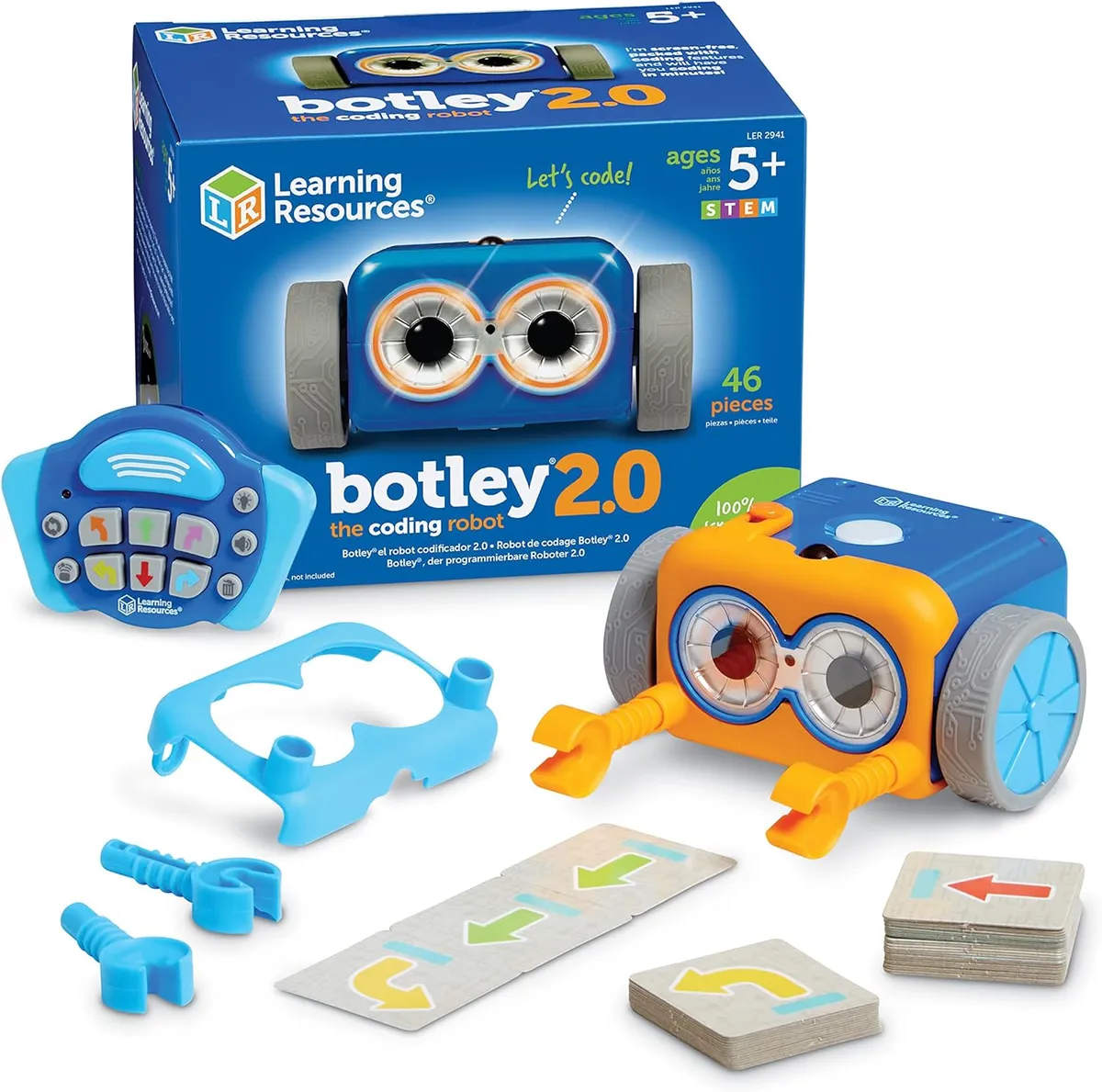
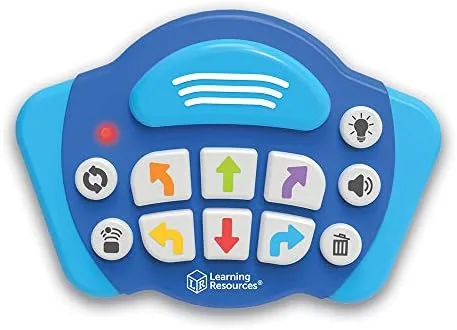
Botley 2.0, from Learning Resources, is built on this premise. It’s a small wheeled robot that you program using a detached remote control — press a sequence of directional buttons, hit “go,” and Botley executes your program. No app. No tablet. No Wi-Fi. The “screen-free coding” claim is the product’s headline feature, and it’s the claim we want to evaluate most carefully, because ed-tech marketing has taught us to be suspicious of any product that claims to teach programming.
Product Overview
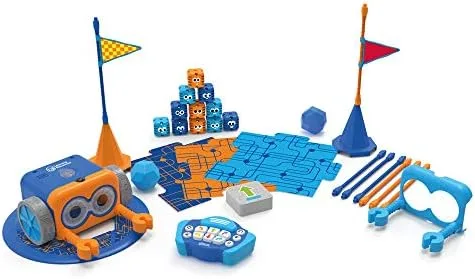
Botley 2.0 is the second generation of Learning Resources’ screen-free coding robot. The Activity Set (the version we tested, priced at $85) includes:
- Botley 2.0 robot with light-up eyes and expressive sounds
- Detached remote programmer with directional buttons and a “go” button
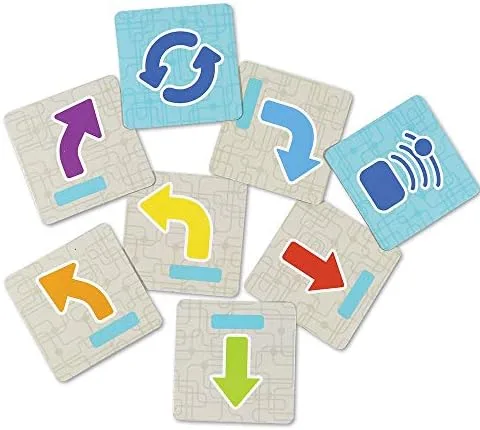
- 40 coding cards for guided challenges
- 6 double-sided tiles for creating obstacle courses
- Detachable robot arms for object interaction
- Obstacle accessories (cones, flags, balls)
The robot runs on 3 AAA batteries (not included); the remote uses 2 AAA batteries. Botley can execute sequences of up to 150 steps, including forward, backward, turns (90° increments), and loops. The 2.0 version adds light-up features, new sounds, and a “secret code” mode with hidden programs.
Learning Resources is a Vernon Hills, Illinois-based educational toy company with a large catalog of classroom and home learning products. They’re one of the larger players in the tangible coding toy space, alongside Fisher-Price — a Mattel brand — whose Code-a-Pillar and Think & Learn line target the same early-coding market.
Our Evaluation
Build Quality: 7/10
Botley himself is a solid little machine. The plastic shell is thick and smooth, with rounded edges that feel safe for the target age range. The wheels grip well on hard floors and low-pile carpet, and the robot moves in consistent, predictable increments — which is essential for a coding toy where spatial precision is the entire point.
The remote programmer feels slightly cheaper than the robot. The buttons are adequate but lack the satisfying tactile click you’d want in a device designed for repeated pressing. After extended coding sessions, the directional buttons can feel mushy. This isn’t a dealbreaker, but for a product that asks children to carefully input sequences, button clarity matters.
The detachable arms are a clever addition that adds interaction possibilities (pushing objects, triggering accessories) but the attachment mechanism is loose enough that the arms fall off during vigorous play. Young children will find this frustrating until they learn to handle the robot gently — which, at age five, is a significant ask.
Battery consumption is notable. In active use, we went through a set of AAA batteries in about 8-10 hours of play. Rechargeable batteries aren’t optional — they’re a prerequisite.
Play Value: 7/10
The core loop — program, execute, observe, debug — is genuinely engaging. We watched a five-year-old spend 40 minutes trying to navigate Botley through a simple obstacle course, adjusting her code by one step each attempt, occasionally groaning when the robot veered off course. This is computational thinking in action, and the feedback loop is fast enough to sustain interest.
The coding cards provide structured challenges at escalating difficulty levels, which is valuable for the initial learning phase. Without them, children tend to default to random directional sequences and lose interest when Botley doesn’t do anything “cool.” The cards give purpose to the programming — get Botley from here to there, knock over this cone, avoid that obstacle.
The ceiling is the limitation. Botley’s command set — forward, backward, left 90°, right 90°, and loops — is sufficient for introducing sequential and iterative thinking but doesn’t extend to conditionals, variables, or functions. A bright seven-year-old will exhaust Botley’s complexity within a few weeks. The 150-step maximum is generous but rarely reached in practice because children self-limit to shorter programs they can track mentally.
Social play is a genuine strength. Two or more children programming Botley together naturally creates collaboration, debate, and negotiation — “I think we need one more forward!” “No, try turning left first!” The physical nature of the robot and obstacle course means everyone can see and point and argue, which is harder to achieve with screen-based coding.
The “secret code” mode (knocking Botley’s head triggers hidden dance sequences and sounds) is charming for about ten minutes but doesn’t add lasting value.
Age Appropriateness: 8/10
The 5-9 age range is well-calibrated. Children under five can physically operate the remote but struggle with the mental model of sequential instruction — they want Botley to go where they’re pointing right now rather than programming a multi-step route. By five, most children can hold a 3-5 step sequence in working memory and understand the relationship between button presses and robot actions.
The six-to-seven range is the sweet spot. At this age, children can manage 5-10 step sequences, begin to understand loops, and — critically — can debug their own programs by mentally retracing Botley’s path. This is the cognitive milestone that makes Botley educational rather than merely entertaining.
By age nine, children who are still interested in coding will want more complexity than Botley offers. This is the natural transition point to screen-based platforms like Scratch, or more advanced physical robots like the LEGO SPIKE Essential. Botley is a first chapter, not the whole book.
Durability: 7/10
The robot body is robust. We dropped Botley from table height multiple times (both intentionally and courtesy of our testers) and observed no functional damage. The wheels continued to track accurately and the electronics remained responsive.
The remote control is the weak point for durability. The battery compartment screw is small and tends to strip if overtightened. The buttons show wear with heavy use. The IR transmitter window can crack if the remote is dropped face-down — and since the remote is what children hold and manipulate most, drops are frequent.
The accessories (tiles, cones, flags) are thin plastic and will bend or break if stepped on. They’re functional but not built for the kind of abuse a play mat endures. Keep them organized or accept that replacement will eventually be needed.
Value for Money: 6/10
At $85 for the Activity Set, Botley occupies an awkward middle ground. It’s too expensive to be an impulse purchase, but the learning ceiling is too low to justify the investment for families who want lasting educational value. The cost-per-month calculation depends entirely on how long Botley holds interest — for a child who engages intensely for 2-3 months, that’s roughly $30/month of active play. Not terrible, but not the multi-year value proposition of something like Magna-Tiles.
The base Botley (without the Activity Set accessories) runs about $50, which is a more compelling value proposition if you’re willing to create your own obstacle courses with household items. The Activity Set’s premium buys you the coding cards and accessories, which are useful for structured learning but not essential.
The Obstacle Course Accessory Set ($20) extends Botley’s life meaningfully and is worth considering at purchase time rather than as an afterthought.
The Evidence
“Screen-free coding” is a marketing claim that requires careful evaluation. Let’s break it into components.
Computational Thinking in Young Children. Wing (2006) popularized the concept of “computational thinking” — problem decomposition, pattern recognition, abstraction, and algorithmic thinking — as a fundamental skill that extends beyond computer science.1 The premise of products like Botley is that these thinking skills can be developed through physical programming activities.
Bers et al. (2014) studied the ScratchJr programming environment and found that children as young as 5-6 could learn fundamental programming concepts including sequencing, loops, and parallelism.2 Importantly, their research found that the tangibility of programming interactions mattered — children learned more effectively when programming had physical, observable outcomes rather than purely on-screen effects.
Tangible vs. Screen-Based Programming. This is where Botley’s claim gets interesting. Sapounidis and Demetriadis (2013) compared tangible programming interfaces with graphical ones for kindergarten-age children and found that tangible interfaces produced higher engagement and better understanding of programming concepts in the youngest learners.3 The physical manipulation of commands — pressing buttons in sequence, watching a robot execute them in physical space — appears to create a more intuitive mental model of sequential execution than screen-based alternatives.
Sullivan and Bers (2016) specifically studied the KIWI robotics curriculum (which uses robots similar to Botley) with PreK-2nd grade students and found that children could master sequencing and develop basic debugging skills through tangible robot programming.4 The debugging finding is particularly relevant — watching a robot go to the wrong place and figuring out which instruction was wrong develops a specific form of analytical thinking.
The “Screen-Free” Question. The screen-free claim is defensible but requires nuance. The evidence suggests that tangible programming interfaces are particularly beneficial for the youngest learners (ages 4-7), where the physical cause-and-effect relationship between input and output supports concept formation. For older children (8+), the research is less clear — screen-based environments like Scratch offer richer programming concepts and creative possibilities that tangible robots can’t match.
Botley’s screen-free design is a genuine pedagogical choice for the target age range, not just a marketing gimmick. But it’s also a ceiling — the same feature that makes it accessible to five-year-olds limits its value for nine-year-olds.
What “Coding” Means Here. To be precise: Botley teaches sequential thinking, iterative problem-solving, and basic loop concepts. It does not teach coding in the vocational sense — no syntax, no data structures, no conditional logic. The connection between programming Botley and writing Python is real but indirect, mediated by the development of computational thinking skills that may transfer to formal programming later. We found no longitudinal studies tracking whether early tangible coding toy use predicts later programming aptitude.
The honest summary: Emerging evidence supports tangible coding toys as effective tools for developing computational thinking in young children, with particular advantages over screen-based alternatives for the 5-7 age range. The research base is growing but still limited, with most studies conducted in classroom settings rather than home environments. Botley’s approach is pedagogically sound, but the specific long-term benefits of this type of play remain unquantified.
Safety Notes
Botley 2.0 meets ASTM F963 and CPSIA safety standards. No recalls have been issued.
The robot has no small parts that could pose a choking hazard. The detachable arms are large enough to clear the CPSC threshold. The accessory pieces (cones, flags) are small enough to be managed carefully around children under 3, though they’re not choking hazards by regulation.
IR transmission from the remote is low-power and poses no safety concern. The robot’s movements are slow enough that collisions with feet, pets, or furniture produce no meaningful impact.
Battery safety is the primary concern: 5 AAA batteries across the robot and remote, with the remote’s battery compartment screw being the weakest point. Check for corrosion periodically, especially if the toy sits unused for extended periods.
The Verdict
Botley 2.0 delivers on its core promise more honestly than most ed-tech products. It teaches the foundational thinking patterns that underlie programming — sequential reasoning, debugging, iterative refinement — through a physical, tangible interface that’s well-matched to the 5-7 age range. The “screen-free” claim is not just marketing; it reflects a genuine pedagogical advantage for young children who learn better through physical interaction than screen manipulation.
The limitations are real: the programming ceiling is low, battery consumption is high, the remote feels cheaper than the robot, and at $85, the price asks more than the engagement lifespan may justify. Botley is a 2-4 month toy for most children, not a multi-year companion.
But in those 2-4 months, something real happens. A child who has programmed Botley through a dozen obstacle courses has internalized the basic mental model of computing: give precise instructions, observe the outcome, find the error, try again. That’s worth something — even if the child never touches a line of code.
Product Rating: 7/10 — Strong concept and execution within a limited scope. The learning value is real but bounded.
Evidence Rating: Emerging — Growing research supports tangible coding toys for computational thinking development. Specific longitudinal outcome data is lacking.
Who Should Buy This
- Parents of 5-7 year olds curious about coding but not ready for screen time
- Families who want STEM toys that involve physical play rather than tablet interaction
- Teachers and homeschoolers looking for a classroom-compatible coding introduction
- Gift-givers who want an impressive, educational present in the $50-85 range
- Families who already own LEGO SPIKE Essential and want a screen-free complement
Who Should Skip This
- Parents of children under 5 (the sequential thinking demands are too high)
- Families seeking long-term coding education (Botley is an introduction, not a curriculum)
- Budget-conscious families (the base Botley at $50 is a better value; the Activity Set premium is debatable)
- Parents of children 8+ who are ready for Scratch, Python, or more complex robotics platforms
This review reflects our independent evaluation. ScienceBasedKids.com purchased this product at retail price. We may earn a commission if you purchase through our links, which helps fund our research. This never influences our ratings.
Footnotes
-
Wing, J. M. (2006). “Computational thinking.” Communications of the ACM, 49(3), 33-35. ↩
-
Bers, M. U., Flannery, L., Kazakoff, E. R., & Sullivan, A. (2014). “Computational thinking and tinkering: Exploration of an early childhood robotics curriculum.” Computers & Education, 72, 145-157. ↩
-
Sapounidis, T., & Demetriadis, S. (2013). “Tangible versus graphical user interfaces for robot programming: Exploring cross-age children’s preferences.” Personal and Ubiquitous Computing, 17(8), 1775-1786. ↩
-
Sullivan, A., & Bers, M. U. (2016). “Robotics in the early childhood classroom: Learning outcomes from an 8-week robotics curriculum in pre-kindergarten through second grade.” International Journal of Technology and Design Education, 26(1), 3-20. ↩
Enjoyed this review? We publish two new evidence-based evaluations every week.
Free. No spam. Unsubscribe anytime.
| Brand | Price | Quality | Rating |
|---|---|---|---|
| | |||
| | |||
| | |||
| | |||
| |
Scored on a 10-point scale. 'Screen independence' measures how fully the product works without a tablet or computer.
Recommended Accessories
Affiliate links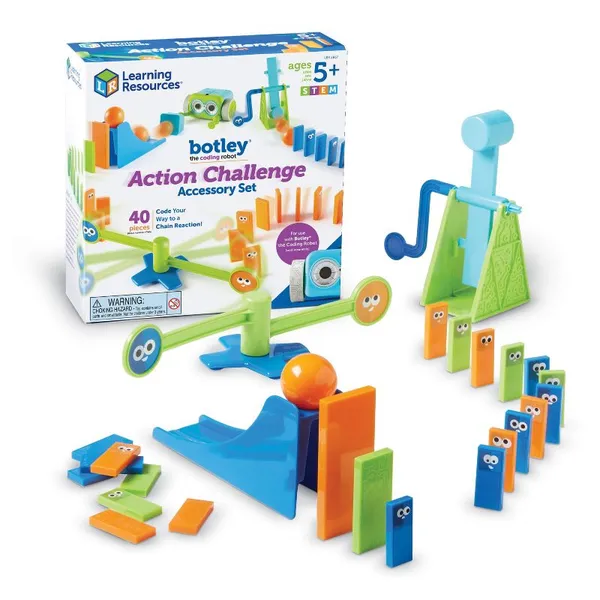
Botley the Coding Robot Action Challenge Accessory Set (40 Pieces)
“Additional coding challenges: cones, flags, and goal posts. Extends replay value significantly.”
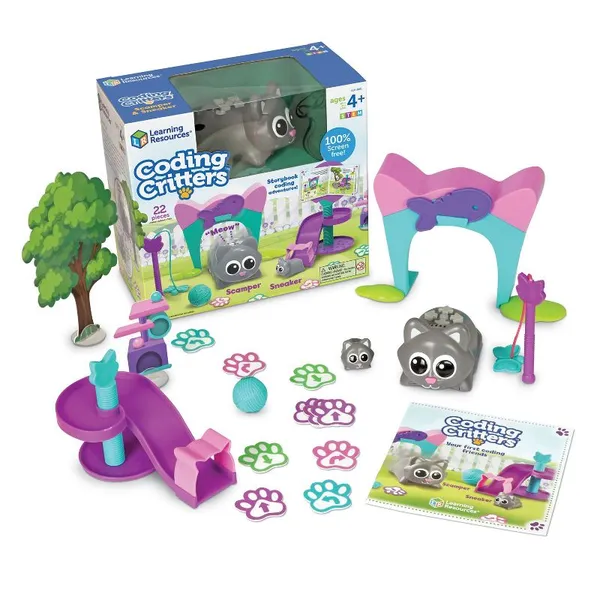
Learning Resources Coding Critters Scamper & Sneaker
“Complementary screen-free coding toys with a different mechanic. Variety sustains interest.”
Panasonic Eneloop Rechargeable AAA Batteries (4-Pack)
“Botley runs on AAA batteries and goes through them. Rechargeable is essential.”
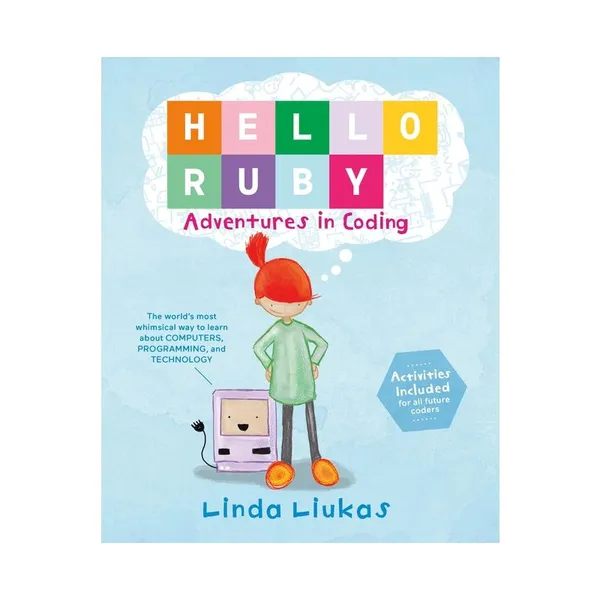
Hello Ruby: Adventures in Coding by Linda Liukas
“Picture book that makes coding concepts into a story. Reinforces what Botley teaches physically.”
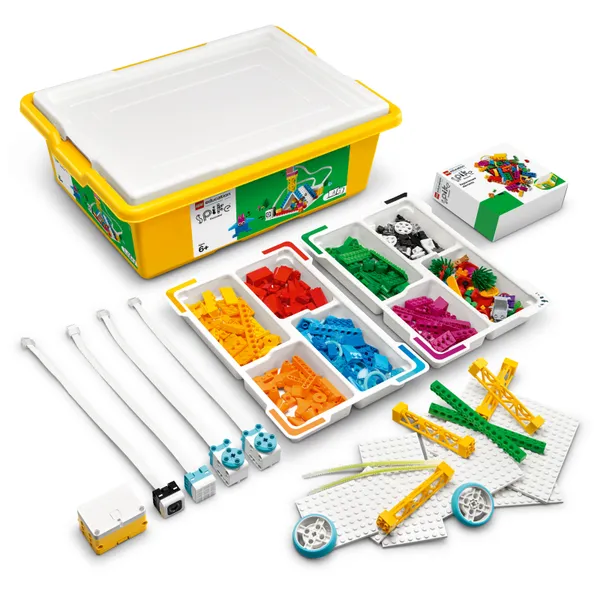
LEGO Education SPIKE Essential
“Premium step-up for families ready for screen-based coding with physical output. See our full review.”