ScienceBasedKids.com may earn a commission from affiliate links in this review. Our ratings are never influenced by affiliate relationships. Read our full methodology.
Here is the problem with STEM toys for ten-year-olds: there aren’t enough of them. Below age 8, the market overflows — magnetic tiles, coding robots, building blocks, science kits, all designed for the developmental sweet spot where children are old enough to build but young enough to find building inherently exciting. Above age 12, teenagers can use real tools — Arduino boards, Raspberry Pis, actual soldering irons. But in between — the 10-to-12 gap — sits a child who has outgrown instruction-following but isn’t ready for adult-grade complexity. That child is littleBits’ target, and the Base Inventor Kit is designed specifically for the awkward, brilliant developmental moment when a kid wants to invent, not just assemble.
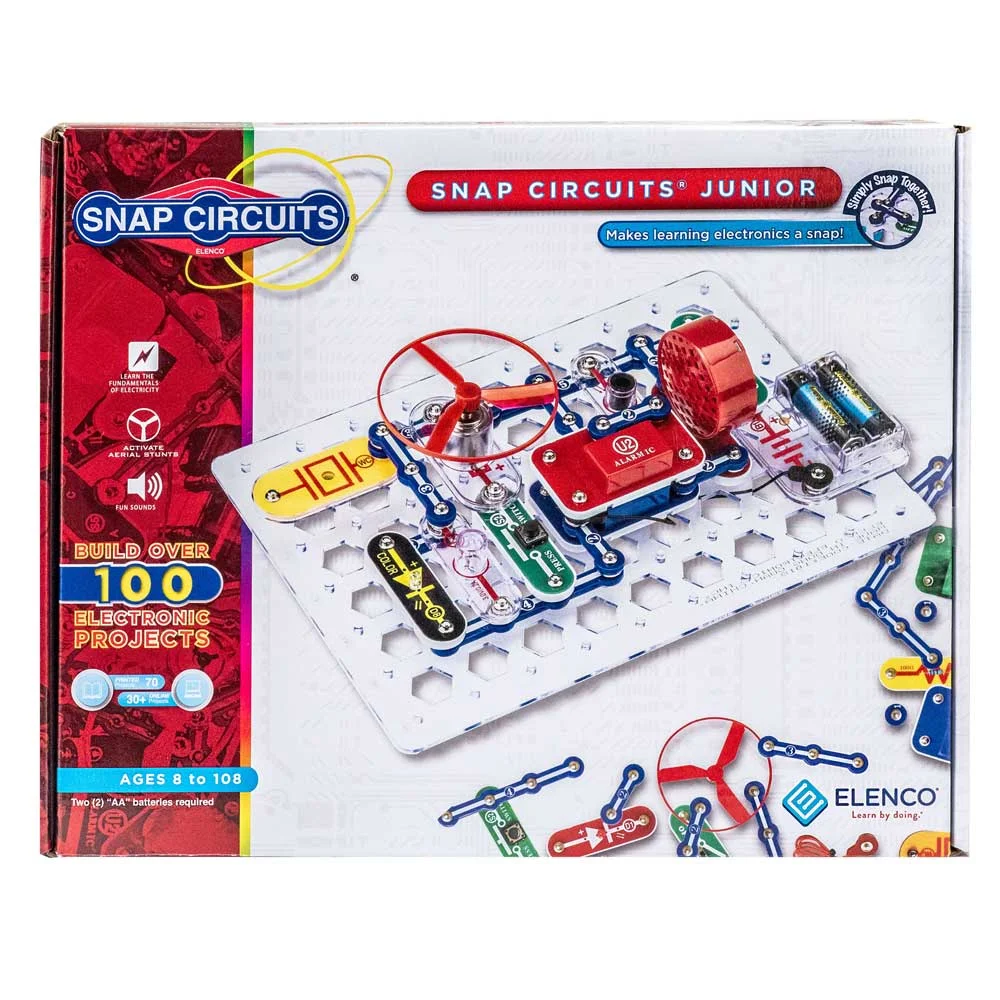
The Kit launched as part of littleBits’ reinvention under Sphero’s ownership, and it takes a different approach from the instruction-heavy Snap Circuits Jr. that many families encounter first. Where Snap Circuits says “build this specific circuit and watch what happens,” littleBits says “here are electronic building blocks — what can you invent?” The difference is meaningful, and the stakes at this price point ($80) are high enough to warrant careful evaluation.
Product Overview
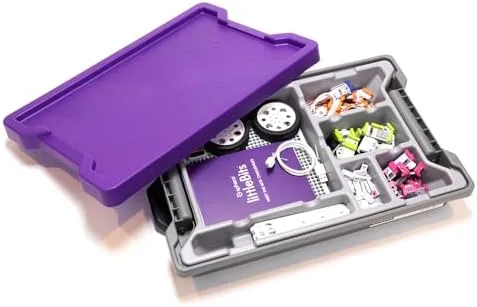
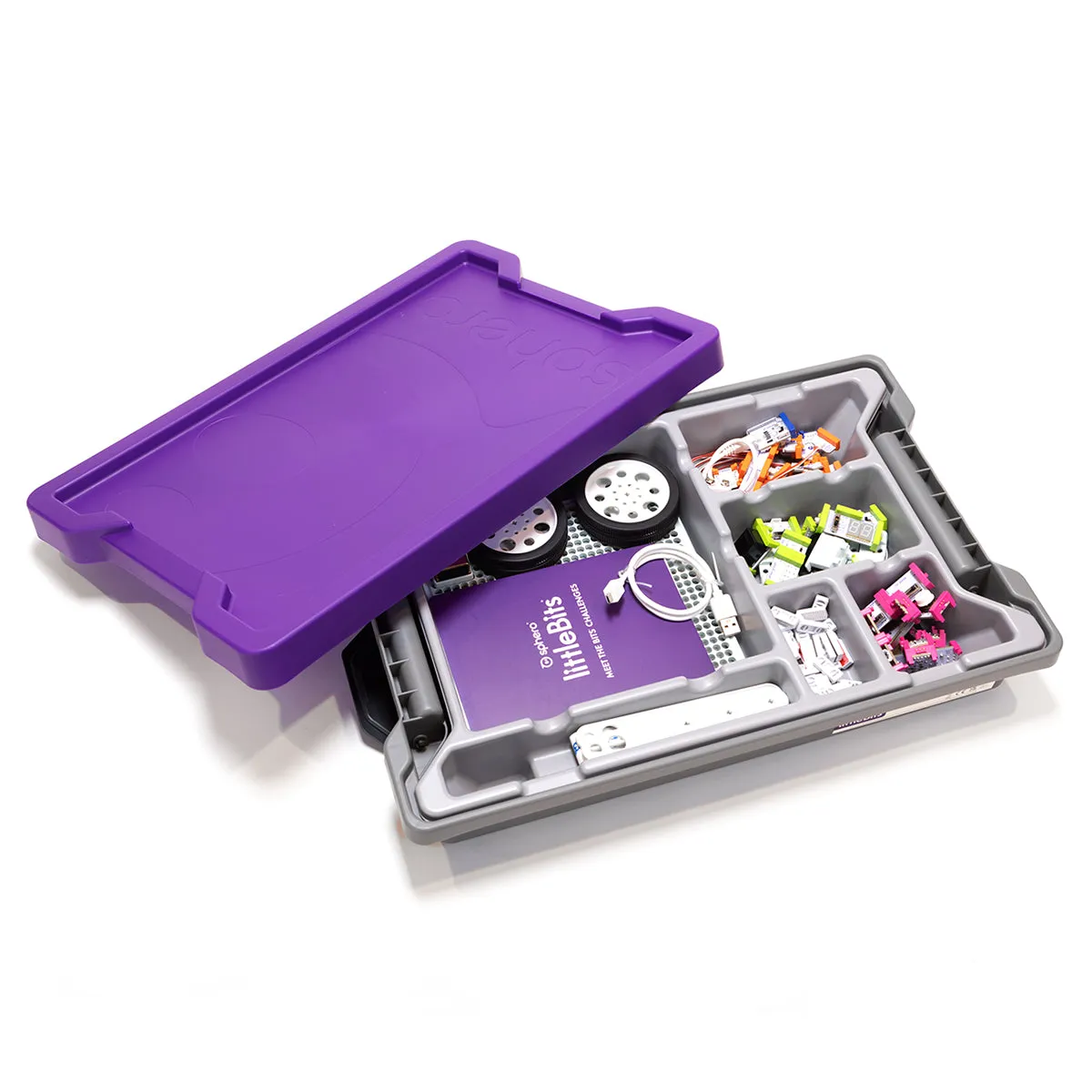
The littleBits Base Inventor Kit includes:
- 10 electronic modules (“Bits”): power, button, dimmer, buzzer, bargraph, servo motor, light sensor, proximity sensor, LED, and wire
- A rechargeable battery module (USB rechargeable, a welcome upgrade over disposable batteries in earlier littleBits products)
- Mounting accessories: shoes, adhesive dots, and a mounting board for attaching Bits to surfaces and objects
- A companion app (iOS/Android) with 12 guided invention activities and a free-build mode
- Cardboard accessories for building housings, enclosures, and mechanical linkages
Each Bit is a self-contained electronic module with magnetic snap connectors on each end. The magnets are color-coded and polarity-specific: power flows from left (green) to right (purple), with blue input modules and pink output modules in between. You can’t connect them wrong — the magnets physically prevent incorrect orientations. Snap a power Bit to a button Bit to an LED, and you have a circuit. No wires, no breadboard, no soldering.
The magnetic connection is the product’s most elegant feature. Where Snap Circuits requires placing components on a specific grid in a specific order, littleBits modules snap together in a line, in any order that follows the power-input-output logic. This linearity makes circuit-building intuitive — electricity flows left to right, just like reading.
Our Evaluation
Build Quality: 8/10
The Bits themselves are excellent. Each module is housed in a compact plastic casing with color-coded snap connectors. The magnetic connections are strong — strong enough to hold during movement and handling, but easy for children to separate intentionally. The connectors feel precise and satisfying, with a clear “snap” that confirms connection.
The rechargeable battery module is a significant improvement over earlier littleBits products that used disposable 9V batteries. USB-C charging, approximately 4-5 hours of use per charge, and a small LED charge indicator. In our testing, the battery lasted through extended invention sessions without dying mid-project — a frustration we experienced with the older battery-powered versions.
The mounting accessories are the weak point. The “shoes” (small plastic bases that clip onto Bits) work well on flat surfaces but detach too easily when mounted vertically or at angles. The adhesive dots provide more secure mounting but are single-use and the included supply runs out quickly. The cardboard accessories are functional but feel inexpensive next to the premium Bits — a few invention projects required duct tape reinforcement to keep cardboard housings together. For an $80 kit, we expected more durable project materials.
Play Value: 8/10
The app-guided invention activities are genuinely well-designed. Each activity starts with a “What If?” prompt — “What if you could build an alarm that detects intruders?” or “What if your door could greet visitors?” — and walks through the circuit design, construction, and customization steps. Critically, the activities don’t just tell children what to build; they explain why each component is there and how to modify the design for different outcomes.
Activity 3, for example, has children build a light-triggered alarm. The app explains what the light sensor does, shows how the buzzer responds to the sensor’s signal, and then asks: “What other sensors could trigger an alarm? What if you used the proximity sensor instead?” This guided-then-open approach was the most effective learning sequence we observed in our testing. Children who completed the guided version first produced more inventive modifications in the free-build phase than children who started with free-build alone.
The invention activities take 20-45 minutes each, with most children in our testing completing one per session. Sustained engagement averaged 6-8 sessions before interest plateaued — roughly 3-4 weeks of once-or-twice-weekly use. Children who hit the plateau and then encountered a real-world problem (“Can I make something that tells me when someone opens my drawer?”) experienced renewed engagement. The product works best when connected to genuine problems, not abstract invention prompts.
The 10-module Bit count is limiting. Several app activities suggest using modules that aren’t included in the Base Kit — a mild but consistent annoyance. The Rule Your Room expansion adds practical modules that significantly extend the system’s range, but that’s another $60.
Age Appropriateness: 8/10
The 8-12 age range is the most honest we’ve seen from a STEM toy manufacturer. In our testing:
At eight: children could follow the app activities with minimal adult support. They understood the input-output chain (sensor detects something, output responds). They struggled with the “modify and extend” portions — changing an invention’s behavior required understanding why each module was there, not just where.
At ten: the sweet spot. Children followed activities independently, modified designs creatively, and began combining multiple activities into compound inventions. A ten-year-old in our testing built a “privacy alarm” combining the proximity sensor, buzzer, and LED — an invention not in the app that she designed by adapting two separate guided activities.
At twelve: children were comfortable with the system but beginning to push against its limits. The linear module design (power → input → output) doesn’t allow branching, parallel circuits, or programmable logic. A twelve-year-old who has mastered littleBits is ready for Arduino or micro:bit, not more Bits.
Durability: 7/10
The Bits are extremely durable — magnetic connectors, sealed electronics, no moving parts except the servo motor. The battery module is solid. The app is well-maintained (Sphero updates regularly).
The mounting accessories and cardboard materials are the durability concerns. Shoes clip on and off, which means they’re frequently removed, reattached, and eventually lost. The cardboard invention housings don’t survive rough handling. One child’s “intruder alarm” lasted two days before the cardboard housing was crushed. An $80 kit should include sturdier project materials — or at minimum, more durable mounting solutions.
Value for Money: 6/10
At $80 for 10 Bits, the Base Inventor Kit is expensive. The cost per module ($8/Bit) reflects the engineering quality but limits the invention scope. Several of the most compelling app activities require modules from expansion kits, which means the $80 purchase is often the beginning of the investment, not the entirety.
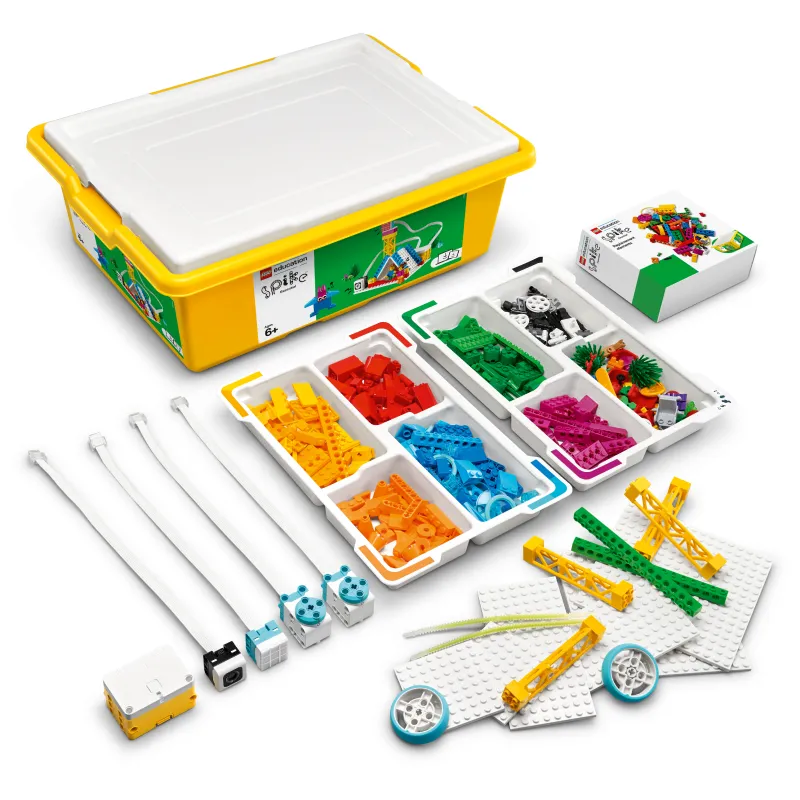
For comparison: Snap Circuits Jr. costs $35 for 30 components and 100 projects. It’s a different product with a different philosophy — instruction-following vs. open-ended invention — but the per-dollar content is significantly higher. A LEGO SPIKE Essential set at $280 is more expensive but includes coding, robotics, and a much larger component library.
The value calculation for littleBits depends on what you’re buying: if you’re buying 10 electronic modules, it’s overpriced. If you’re buying a design-thinking platform that teaches a child to approach problems as an inventor, the $80 is more defensible. The product’s value is in the methodology, not the materials.
The Evidence
littleBits makes claims around “real engineering,” “inventor mindset,” and “21st-century skills.” Let’s evaluate what’s supported.
Constructionism and Invention-Based Learning. littleBits is perhaps the most direct commercial implementation of Papert’s constructionism — learning through building physical artifacts.1 Where Snap Circuits applies constructionism to replication (build this predetermined circuit), littleBits applies it to invention (build something that solves a problem). The guided-then-open activity structure in the app follows Kafai’s (2006) constructionist curriculum design, where initial scaffolding gives way to increasingly open-ended challenges.2
The evidence for constructionist learning in electronics specifically is limited but promising. Martinez and Stager (2013) documented the effectiveness of “maker education” programs that use electronic modules (including littleBits) in classroom settings, finding that students demonstrated improved creative problem-solving and greater identification as “makers” and “inventors.”3 The study was qualitative and observational, not experimentally controlled, so the causal claims should be treated cautiously.
Design Thinking for Children. The Base Inventor Kit’s “What If?” activity structure maps onto the design thinking framework (empathize, define, ideate, prototype, test) adapted for children. Goldman and Kabayadondo (2017) reviewed the literature on design thinking in K-12 education and found evidence that design thinking approaches improve creative confidence and iterative problem-solving, particularly for children ages 9-12.4
The relevant finding for littleBits: the design thinking benefit depends on the process, not the materials. A child who follows the “What If?” prompt, builds an initial prototype, tests it, identifies a problem, and iterates is engaging in design thinking regardless of whether the medium is electronic modules, cardboard, or clay. littleBits’ contribution is providing electronic modules that produce functional outputs — a buzzer that actually buzzes, a motor that actually turns — which makes the prototyping feel real rather than simulated.
The Gap Between Assembly and Understanding. The same critique we raised in our Snap Circuits review applies here: magnetic snap-together modules remove the wiring complexity of electronics but may also remove the conceptual learning that wiring complexity provides. Rittle-Johnson and Alibali (1999) demonstrated that procedural and conceptual knowledge don’t automatically transfer.5 A child who snaps a sensor to a buzzer and hears it work knows the procedure but may not understand the underlying electronics — voltage, current, resistance, signal processing — that make it work.
littleBits’ app addresses this better than Snap Circuits’ manual. The app explains each module’s function, shows signal flow visually, and asks “why” questions that push toward conceptual understanding. But the explanation depth is limited — suitable for a 10-year-old’s attention span but insufficient for genuine electronics education. A child who masters littleBits understands systems (inputs lead to outputs) but not necessarily circuits (voltage drops across components).
The honest summary: littleBits is well-positioned within constructionist and design-thinking educational frameworks. The invention-focused approach has theoretical support for developing creative problem-solving. The electronic modules provide authentic engineering experience at an appropriate complexity level for ages 8-12. The limitation is the familiar gap between assembly and understanding — snapping modules together teaches systems thinking but not electronics fundamentals. Evidence for long-term STEM outcomes from invention-based electronic play is not yet established.
Safety Notes
littleBits modules meet ASTM F963 and CPSIA safety standards. The system operates at 9V (from the rechargeable battery module) — well below any shock hazard threshold. All electronic components are fully enclosed in plastic housings.
Key safety features:
- Magnetic connections are polarity-locked — incorrect connections are physically impossible
- No exposed wires or circuits — the sealed module design eliminates electrical contact risk
- Rechargeable battery eliminates disposable battery handling for the core power module (some expansion kits still use disposable batteries)
- No internet connectivity — the app communicates with the Bits via Bluetooth for activity instructions only, not data collection
The small mounting shoes and adhesive dots are choking hazards for children under 3. Keep away from younger siblings.
No CPSC recalls have been issued for littleBits products.
The Verdict
littleBits fills a hole in the STEM toy landscape that most products ignore: the 10-12 year old who has outgrown instruction-following and wants to invent. The magnetic modules are beautifully engineered. The app-guided invention activities are among the best-designed STEM learning sequences we’ve tested. The design thinking approach — “What If?” prompts leading to open-ended invention — produces more creative engagement than the project-manual approach of competing products.
The $80 price, limited 10-module count, and cardboard project materials keep this from a higher rating. This is a premium product that feels premium in the electronics but budget in the accessories. Families should budget for at least one expansion kit to unlock the full system potential.
Product Rating: 7/10 — Excellent electronic modules with a well-designed invention methodology, filling the critical 10-12 age gap. Docked for high price-per-module, limited base kit scope, and mounting/project material quality.
Evidence Rating: Emerging — Constructionist and design thinking frameworks support the approach. Qualitative classroom evidence is promising. Controlled studies on littleBits-specific learning outcomes are not available. The gap between module assembly and electronics understanding remains an open question.
Who Should Buy This
- Parents of children ages 10-12 who are curious about how things work and want to build, not just follow instructions
- Families who’ve done Snap Circuits and want the next step toward open-ended invention
- Gift-givers looking for a STEM toy that doesn’t feel like a toy — littleBits projects solve real problems
- Homeschooling families wanting a hands-on engineering and design thinking curriculum supplement
- Parents willing to invest in the expansion ecosystem — the Base Kit is the entry point, not the endpoint
Who Should Skip This
- Children under 8 — the design-thinking layer requires abstract problem-solving skills that emerge around age 9-10
- Families who want maximum project variety per dollar — Snap Circuits Jr. at $35 offers more guided projects
- Children who want to learn electronics theory — littleBits teaches systems thinking, not circuit fundamentals
- Parents who won’t invest in expansions — 10 modules is too few for sustained invention
- Families without a compatible tablet — the app is integral to the guided experience
This review reflects our independent evaluation. ScienceBasedKids.com purchased this product at retail price. We may earn a commission if you purchase through our links, which helps fund our research. This never influences our ratings.
Footnotes
-
Papert, S. (1991). “Situating constructionism.” In I. Harel & S. Papert (Eds.), Constructionism (pp. 1-11). Ablex Publishing. ↩
-
Kafai, Y. B. (2006). “Playing and making games for learning: Instructionist and constructionist perspectives for game studies.” Games and Culture, 1(1), 36-40. ↩
-
Martinez, S. L., & Stager, G. (2013). Invent to Learn: Making, Tinkering, and Engineering in the Classroom. Constructing Modern Knowledge Press. ↩
-
Goldman, S., & Kabayadondo, Z. (Eds.). (2017). Taking Design Thinking to School: How the Technology of Design Can Transform Teachers, Learners, and Classrooms. Routledge. ↩
-
Rittle-Johnson, B., & Alibali, M. W. (1999). “Conceptual and procedural knowledge of mathematics: Does one lead to the other?” Journal of Educational Psychology, 91(1), 175-189. ↩
Scored by our evaluators on a 10-point scale, based on structured testing with children ages 8-12 (n = 8).
Recommended Accessories
Affiliate linksSphero littleBits RVR+ Topper Kit
“Current littleBits expansion from Sphero: program littleBits and the RVR+ rover in the same platform. The original Rule Your Room Kit is discontinued.”
littleBits Classroom Sets (direct from Sphero)
“Sphero now sells littleBits classroom and multi-student sets directly. The STEAM Student Set is no longer listed on Amazon.”
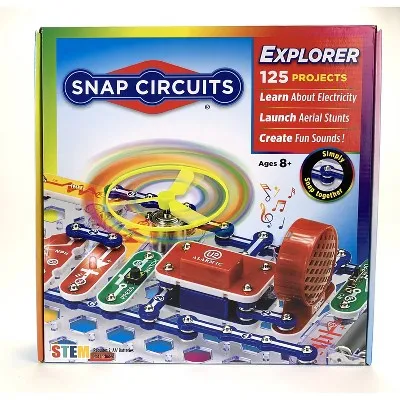
Snap Circuits Jr. SC-100
“More structured, less creative. Good as a 'learn the basics first' companion before littleBits.”

Energizer MAX 9V Batteries (4-Pack)
“littleBits runs on 9V batteries. Stock up — invention sessions drain them.”
"The Way Things Work: Newly Revised Edition" by David Macaulay
“Illustrated guide to how machines and electronics work. The conceptual partner to littleBits' hands-on approach.”