ScienceBasedKids.com may earn a commission from affiliate links in this article. Our ratings are never influenced by affiliate relationships. Read our full methodology.
What 3D Printers Teach
- Design thinking: From 2D ideas to 3D objects
- CAD software: TinkerCAD, Fusion 360, Blender
- Troubleshooting: Print failures teach engineering judgment
- Materials science: Different filaments, different properties
- Patience: 30-minute to 5-hour prints
Best for ages 10+ with sustained interest. Under 10 is too young; intermittent interest wastes filament.
The Short Answer
| Budget | Pick | Ages |
|---|---|---|
| Under $200 | Creality Ender 3 V3 SE | 10+ |
| $200–$300 | Bambu Lab A1 Mini | 10+ |
| $400+ | Prusa Mini+ (European leader) | 12+ |
| $600+ | Bambu Lab X1-Carbon | 14+ |
The Picks
1. Creality Ender 3 V3 SE — $170
Print volume: 220 × 220 × 250 mm Print quality: Good (sub-$200 tier) Learning curve: Moderate — some assembly required
Strengths: Cheap; huge community support (YouTube, Reddit r/ender3); cheap filament; upgrade-friendly. Weaknesses: Auto-leveling less reliable than premium brands; occasional mechanical issues.
Why it wins for ages 10+: Best dollar-per-feature; huge learning community.
2. Bambu Lab A1 Mini — $200
Print volume: 180 × 180 × 180 mm Print quality: Excellent out of box Learning curve: Low — plug-and-play
Strengths: Easy setup; quiet; reliable; color-print capable. Weaknesses: Smaller print area; requires Bambu filament ideally (proprietary AMS).
Why it wins for ease: If budget allows $30 more, saves many hours of learning.
3. Prusa Mini+ — $450
Print volume: 180 × 180 × 180 mm Print quality: Very good; legendary reliability Learning curve: Low
Strengths: European-grade quality; excellent customer service; long-lasting. Weaknesses: Price premium; smaller print volume.
Why it wins for serious commitment: Best “buy once cry once” option.
4. Bambu Lab X1-Carbon — $1200
Print volume: 256 × 256 × 256 mm Print quality: Top-tier Learning curve: Low — AI auto-detection
Strengths: Flagship quality; all features. Weaknesses: Price; overkill for beginners.
Why it wins for serious teen: Long-term hobbyist or teen aiming at engineering career.
What to Avoid
- Toy 3D printers under $100 (Monoprice Select Mini, etc.). Poor quality; toy-grade.
- “Educational 3D printer” branded toys. Usually rebadged lower-tier.
- Resin (SLA) printers for kids under 14. Resin is toxic; requires adult handling.
- Unknown brands under $200. Replacement parts unavailable.
The First-Year Learning Path
Week 1: Setup + first print
- Unbox, assemble (1–2 hours for Creality; 30 min for Bambu)
- First print: included test model (keychain, Benchy)
- Celebrate
Week 2–4: Printing others’ models
- Download from Thingiverse (free)
- Kid picks model, prints it
- Ask: “What problems did you encounter?”
Month 2–3: Design your own
- Start with TinkerCAD (free)
- First design: simple nameplate
- Next: functional item (phone stand, cup holder)
Month 4+: Complex projects
- Multi-part prints
- Articulated models (dragons, mice)
- Functional parts (clamps, jigs)
Filament Economics
- PLA (standard): $20–$30 per 1kg spool. 2–5 projects per spool.
- PETG: $25 per spool. More durable.
- ABS: $20 per spool. Requires ventilation (smell).
- TPU (flexible): $35 per spool. For rubber-like prints.
- Exotic (wood-infused, metal-infused): $50+ per spool. Specialty.
First year: Expect $100–$200 in filament.
Safety Considerations
- Hot end: 220°C (425°F). Touch = burn.
- Heated bed: 60–80°C (140–175°F). Warm but less dangerous.
- Ventilation: PLA is low-emission; ABS requires ventilated room.
- Electrical: Printers run continuously; use surge protector.
- Fire safety: Never leave printing unattended overnight; use smoke detector in print area.
Setup Space
Ideal space:
- Flat, stable surface
- Near outlet
- 2 feet clearance on all sides
- Separate from food prep
- Ventilation (not a closet)
Garage or basement workbench ideal. Kid’s bedroom works if ventilated.
3D Printing Alongside 3D Pens
See our best 3D pen for kids guide. 3D pen is the natural precursor.
A kid who has enjoyed 3D pen for 12+ months is ready for a 3D printer.
Classroom Use
One 3D printer per classroom serves:
- Weekly class design challenges
- Student-submitted designs
- Teacher printed teaching aids (geometry, biology models)
Budget: Creality Ender 3 V3 SE ($170) + filament starter ($100) + replacement parts budget ($100/year) = $370 year-one.
Pair with CAD curriculum (TinkerCAD has free teacher account).
Learning CAD Software
Free software for kids:
- TinkerCAD (ages 9+): Most kid-friendly. Browser-based.
- Blender (ages 13+): Free; professional; steep learning curve.
- Fusion 360 (free for hobbyists 13+): Professional CAD; serious career path.
- SketchUp (free tier for educators): Architecture-focused.
Start with TinkerCAD. Graduate to Fusion 360 around age 14+.
Common First-Year Problems
Print keeps failing at same point: Bed leveling problem. Re-level.
Extrusion jams: Clogged nozzle. Heat + clean or replace nozzle.
Prints warp: Adhesion issue. Use glue stick on bed.
Prints are stringy: Temperature too high OR retraction wrong. Calibrate.
Can’t afford to print: Lower budget-cut filament imports; or join maker space at library / school.
Related Guides
- Best 3D Pen for Kids — precursor
- STEM Gifts for 13-Year-Old
- STEM Gifts for 14-Year-Old
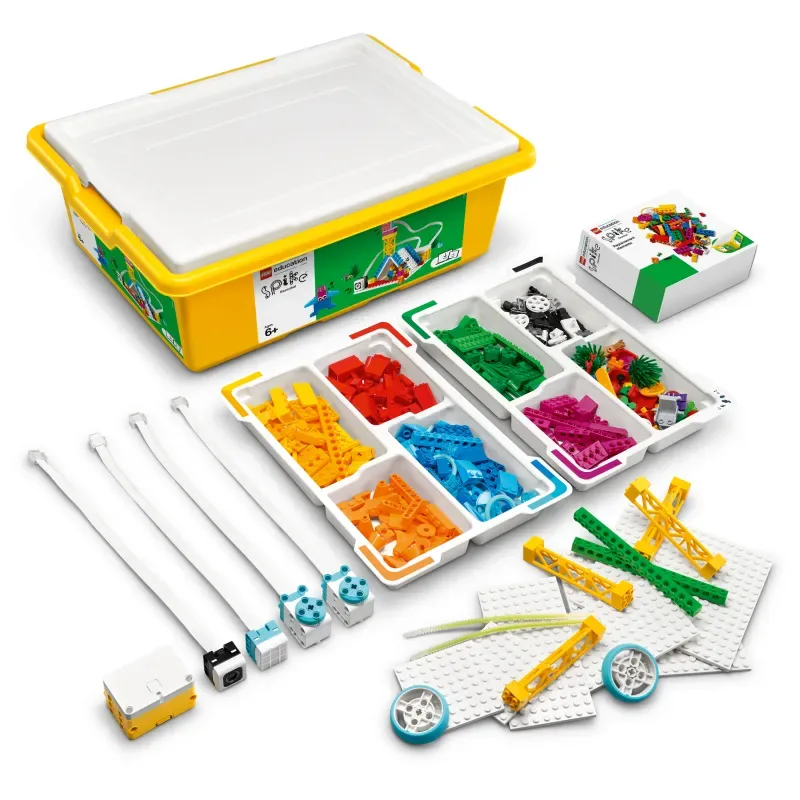
- LEGO SPIKE Essential
The Bottom Line
Best budget pick: Creality Ender 3 V3 SE — $170.
Best plug-and-play: Bambu Lab A1 Mini — $200.
Best long-term investment: Prusa Mini+ — $450.
Ages: 10+ with parent involvement; 12+ for independent use.
First-year cost: $300–$500 total (printer + filament + parts).
Learning curve: 10–20 hours before kid is productive.
Avoid: Toy 3D printers; unknown brands; resin printers for under-14.
3D printers are one of the highest-learning-hour-per-dollar STEM investments if the kid has sustained interest. Start with a 3D pen; graduate to printer around age 10–12.
3D printers tested with kids 10–14 across 12+ month learning curves.