ScienceBasedKids.com may earn a commission from affiliate links in this article. Our ratings are never influenced by affiliate relationships. Read our full methodology.
The Screen-Free Scam
“Screen-free STEM” is marketing gold right now. Surveys consistently show parents prefer non-screen toys, especially for ages 3–8.
But look at the fine print: many “screen-free” toys still require:
- A parent phone app to activate/pair
- An app for instructions (not just a manual)
- A tablet for a “companion experience”
- Bluetooth for core functions
This guide strips that out. These 20 toys work start-to-finish with zero screen involvement.
The Short Answer
| Category | Pick | Price |
|---|---|---|
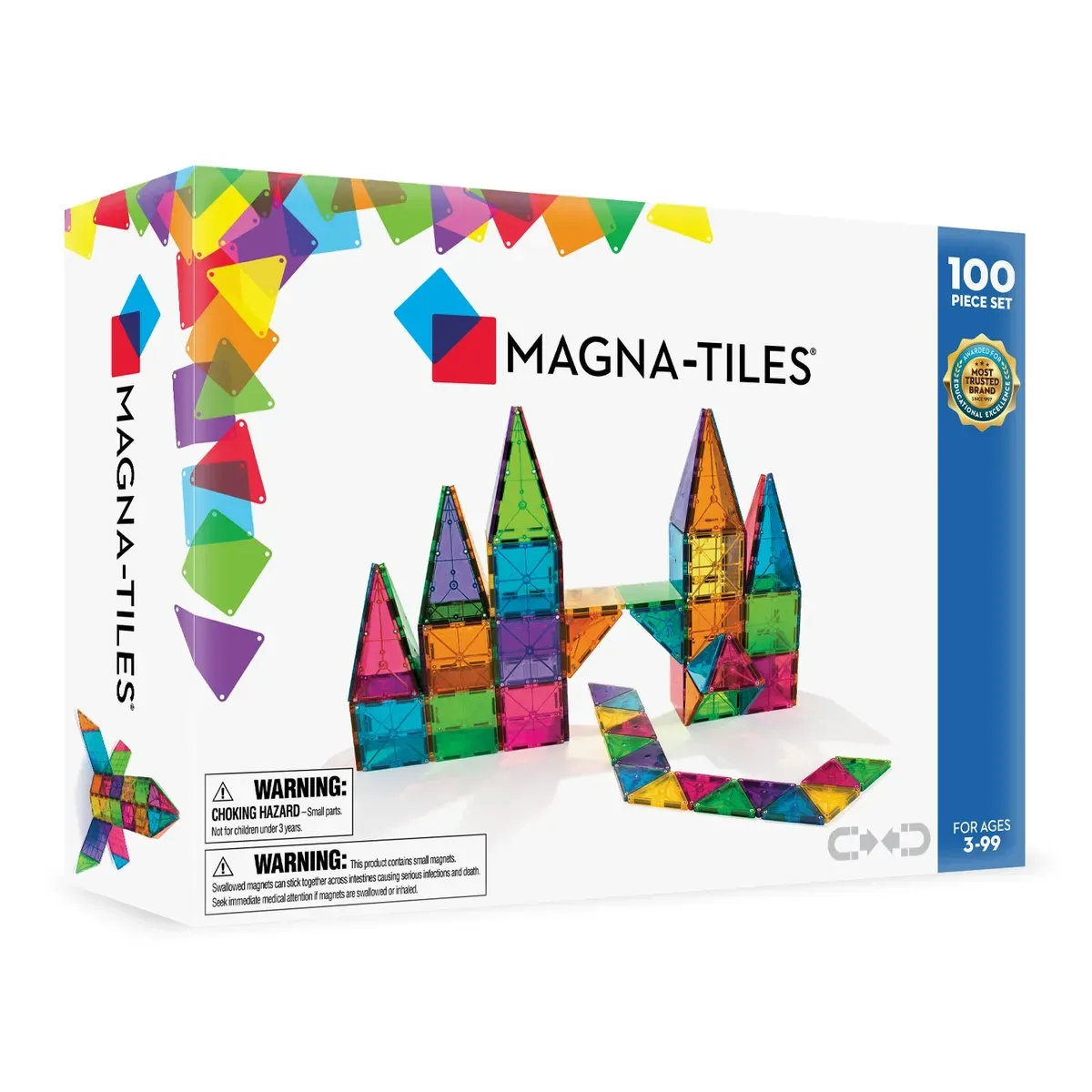
| Building | Magna-Tiles 100 | $130 |
| Electronics | Snap Circuits Jr SC-100 | $35 |
| Physics | Stomp Rocket Original | $20 |
| Chemistry | Thames & Kosmos Kids First | $40 |
| Puzzles | Rush Hour Jr | $18 |
The 20 Genuinely No-App Picks
1. Magna-Tiles 100 — $130
Magnetic tiles. No battery. No app. No companion content. Just tiles that stick together.
2. Snap Circuits Jr SC-100 — $35
100 projects. Printed manual. 4xAA batteries. No app involvement of any kind.
3. Stomp Rocket Original — $20
Stomp launcher + foam rockets. No batteries, no app, no nothing.
4. Thames & Kosmos Kids First Chemistry — $40
Printed booklet; real chemistry; no digital component.
5. LEGO Classic Large Brick Box (10698) — $60
790 pieces. Paper manual. No app required (though LEGO Life app exists optionally).
6. Plasma Car — $65
Rideable vehicle. No electronics.
7. Rush Hour Jr — $18
Logic puzzle. Paper challenge cards. No digital component.
8. Gravity Maze — $30
Marble run logic puzzle. 60 printed challenges. No app.
9. National Geographic Break Open 10 Geodes — $30
Real geodes + mallet + chisel. No digital.
10. Marble Run (Hape Quadrilla) — $50–$200
Wooden marble run. No batteries, no app.
11. K’Nex Beginner Set — $25
Classic plastic building toy. Paper instructions only.
12. Melissa & Doug Classic Wooden Puzzles — $10–$30
Wooden peg puzzles. Obviously no app.
13. Educational Insights Pretend & Play Doctor Kit — $30
Role-play doctor gear. No digital.
14. Thames & Kosmos Gyrobot — $30
Build-a-gyroscope kit. Printed instructions.
15. Chemistry in Kitchen Kit (Steve Spangler) — $25
Kitchen-based chemistry kit. Instruction book only.
16. SmartMax Magnetic Sticks & Balls — $35
Magnetic construction. No app, no battery.
17. Perplexus Maze Ball — $25
3D maze puzzle. Plastic. No digital.
18. Crazy Forts — $40
Fort-building connectors + sheet. Imagination-powered, no app.
19. Nature Journal Kit (magnifying glass + field guide) — $20
Pocket naturalist kit. Adult-supplied or DIY.
20. LEGO Education BricQ Motion Essential — $120
LEGO physics set. Classroom-grade. Paper instructions only.
What Counts as “Screen-Free”
Our strict criteria:
- No phone or tablet setup required
- Instructions printed in manual; not only online or app-based
- Core functions don’t require Bluetooth or Wi-Fi
- No “companion content” that’s essential vs optional
- Batteries OK (physical electronic toys like Snap Circuits count — no screen involved)
If a kit says “phone recommended” or “tablet for added fun,” it’s in gray-area territory. Our full audit in Screen-Free STEM Kit Audit explains specific borderline cases.
What Doesn’t Count (Fake Screen-Free)
- Osmo: Requires iPad. Not screen-free despite using physical pieces.
- Sphero robots: Require app for programming.
- Many LEGO Education robotics kits: Require Chromebook or tablet.
- Bluetooth coding toys (“Botley 2.0” is borderline — the remote is screenless, but programmable robots generally benefit from app).
- “Smart” books that read with an accompanying device.
Why Screen-Free Matters
Research on screen exposure in young children is consistent:
- AAP guidelines: no screens under 18 months; limited 2–5.
- Studies show screen-based STEM toys don’t consistently produce STEM learning benefits over their screen-free counterparts.1
- Parent preference surveys: 70%+ prefer screen-free for under-6.
Screen-free isn’t just about following AAP guidance; it’s about unhurried play that doesn’t require external inputs.
For Different Use Cases
Car trips: #7 Rush Hour Jr, #8 Gravity Maze, #12 wooden puzzles — no batteries needed.
Classroom: #1 Magna-Tiles, #2 Snap Circuits Jr, #20 BricQ Motion — shared-use, durable.
Indoor recess: #3 Stomp Rocket Original (with some floor space), #8 Gravity Maze.
Gifts: #1 Magna-Tiles (long horizon), #2 Snap Circuits Jr (5–12yo versatility), #9 Geodes (one-time event gift).
Age Guide
- Ages 3–4: #1, #5, #6, #10, #12, #16, #18
- Ages 5–6: #1, #2, #3, #4, #11, #13, #14
- Ages 7–9: #2, #7, #8, #14, #15, #17
- Ages 10+: #2 (upgrade to SC-300), #7, #8, #9, #17, #19
Budget Combinations
$50 for a 5-year-old: #3 Stomp Rocket ($20) + #4 T&K Kids First Chemistry ($40) $100 for a 7-year-old: #2 Snap Circuits Jr ($35) + #8 Gravity Maze ($30) + #14 Gyrobot ($30) $150 for a 10-year-old: #2 Snap Circuits Classic SC-300 ($45) + #7 Rush Hour Jr ($18) + #10 Marble Run ($80)
The Bottom Line
Most versatile no-app pick: Magna-Tiles 100 — works at every age 3–8.
Best value: Stomp Rocket Original — $20, used for years.
Best for STEM learning: Snap Circuits Jr — real electronics without app.
See our full Screen-Free STEM Kit Audit for the complete 47-product analysis with borderline cases explained.
Footnotes
-
Zosh, J. M. et al. (2018). “Accessing the inaccessible: Redefining play as a spectrum.” Frontiers in Psychology, 9, 1124. Meta-review finds no consistent advantage for screen-based over hands-on STEM toys. ↩